General structure of the user interface
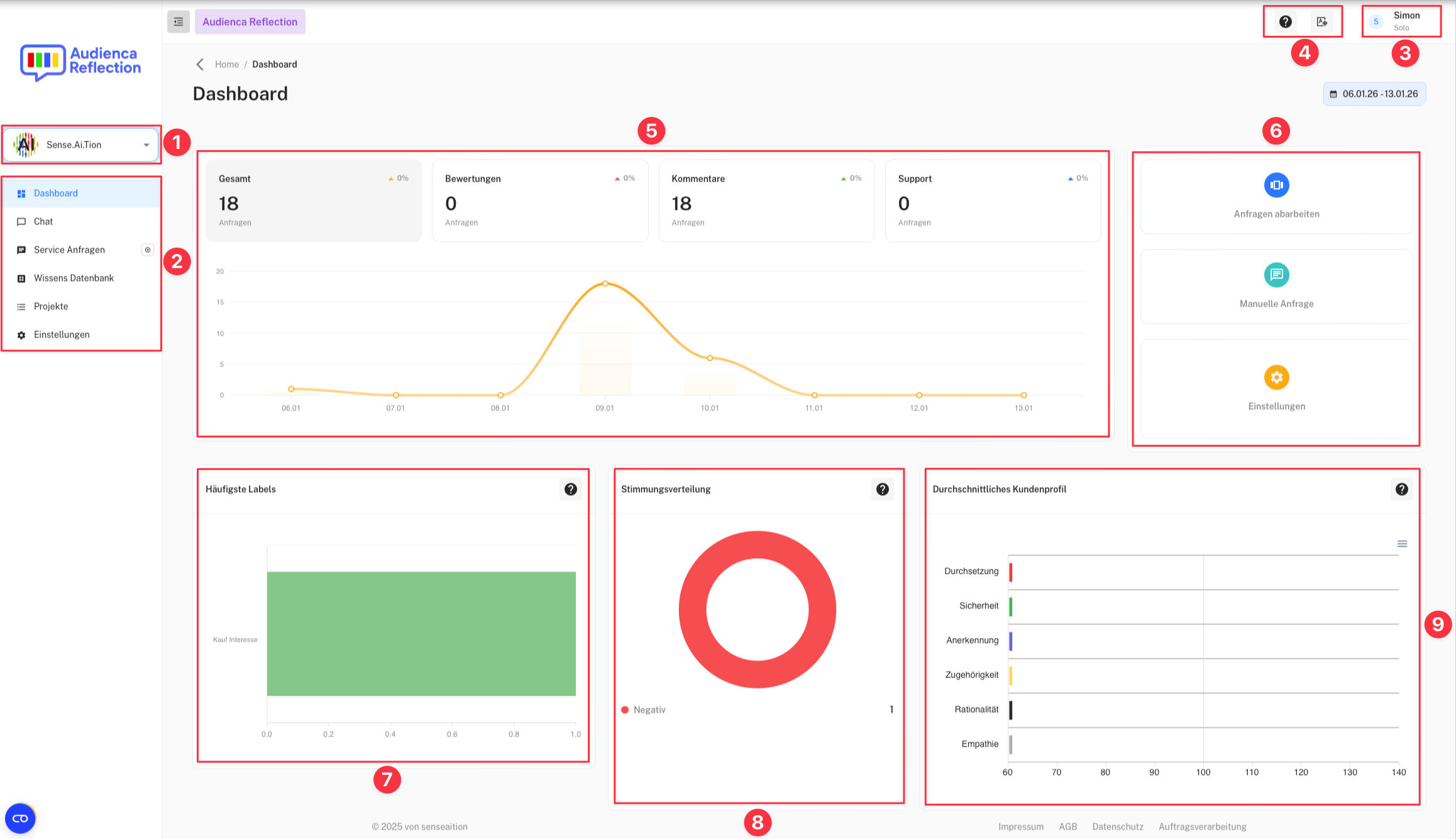
The figure shows the homepage and associated dashboard for Audienca Reflection.
-
Selected project
-
Menu / Navigation
-
Logged-in user
-
Help button and language selection
-
Chart displaying the number of requests per day, broken down by type (e.g., reviews, comments, support). You can select different time ranges in the top right corner to filter the data.
-
Quick access to key functions:
- Process request: Navigate to the next open requests for processing.
- Manual request: Create a new manual request.
- Settings: Adjust project settings, users, and other configurations.
-
Chart showing the label distribution of requests.
-
Chart showing the sentiment distribution of requests.
-
Chart showing the average customer profile.
Use Audienca Reflection
You can order the product Audienca Reflection (or request a test account) at Audienca Reflection