Project List
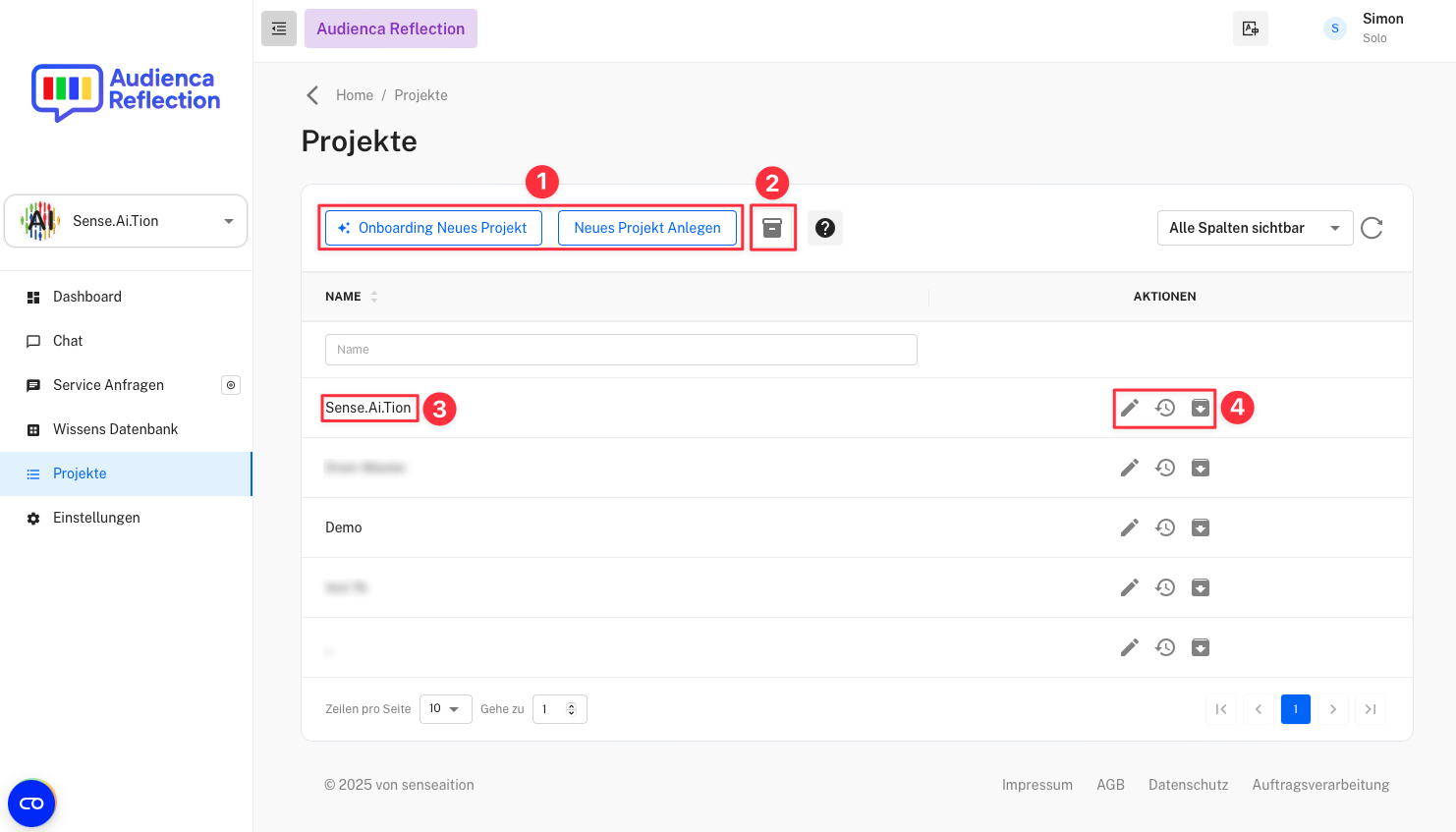
-
Create New Project
- Create a new project via the onboarding process or manually. The onboarding process guides you through the key steps to set up a new project.
-
View Project Archive
- Toggle between active and archived projects. Archived projects are no longer shown in the main view but can be restored at any time.
-
Name
- Name of the project.
-
Actions
- Available actions for each project:
- Pencil icon: Edit the project.
- Clock icon: View the project’s history.
- Arrow icon: Archive or restore the project.
Use Audienca Reflection
You can order the product Audienca Reflection (or request a test account) at Audienca Reflection