New manual service request
-
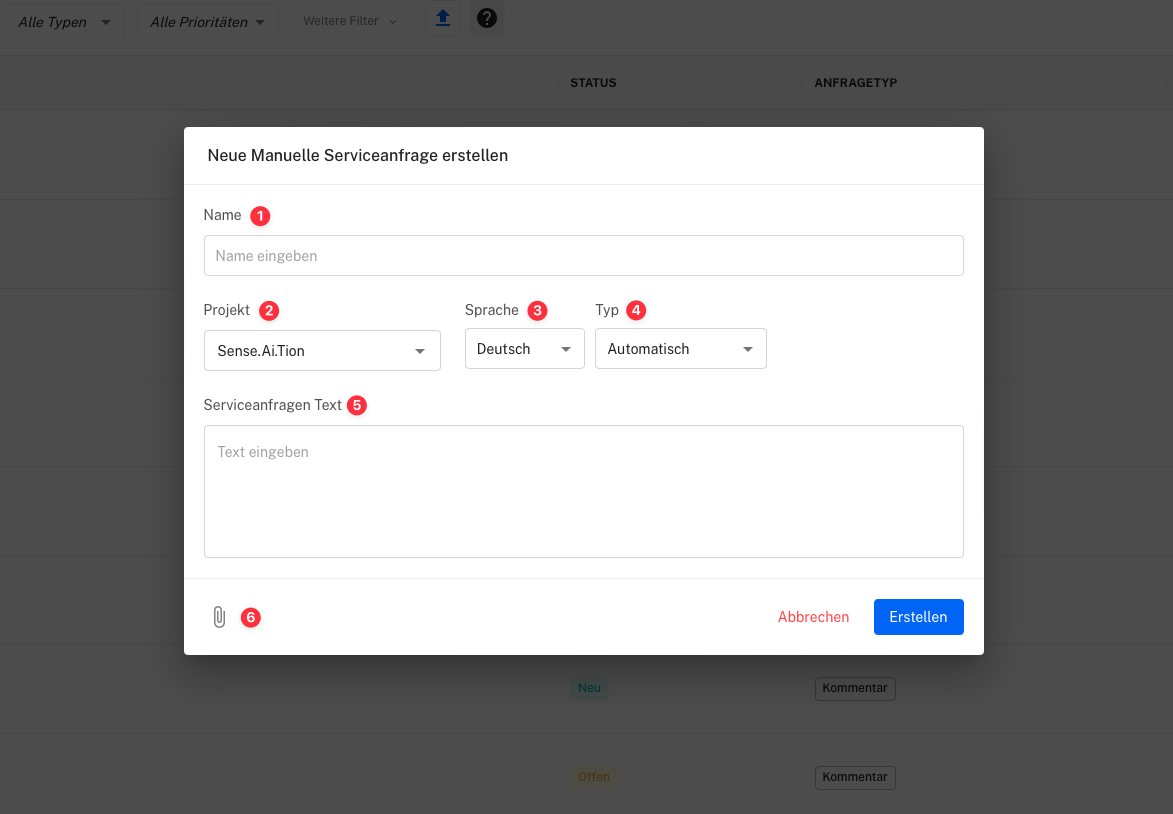
Name
- Enter the name of the request or the person submitting it.
-
Project
- Select the project associated with this request.
-
Language
- Choose the language for the request (e.g., German, English).
-
Type
- Set the request type, e.g., “Support” or “Review”. Selecting “Automatic” will let the system determine the type automatically.
-
Service Request Text
- Enter the desired service request.
-
Image Upload
- Optional: Upload an image to be displayed with the request.
Use Audienca Reflection
You can order the product Audienca Reflection (or request a test account) at Audienca Reflection