Menu Overview
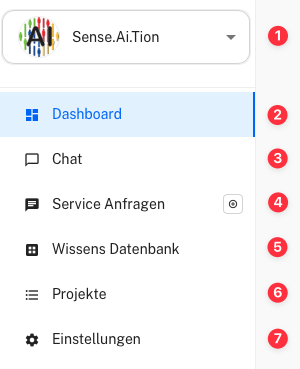
On the left side, you will find the side menu. Through this navigation, you can access all areas of the application that are available to you.
-
Selected Project - Displays the currently selected project. Click the project name to switch between different projects.
-
Dashboard - Overview of key metrics and information about your requests and projects.
-
Chat - Quick and straightforward handling of customer inquiries through the system.
-
Service Requests - Access all service requests submitted by customers or users.
-
Knowledge Base - Section for managing the knowledge base for the project.
-
Projects - Management and overview of all projects.
-
Settings - Configure user settings, project settings, and other preferences.
Use Audienca Reflection
You can order the product Audienca Reflection (or request a test account) at Audienca Reflection