View service request
-
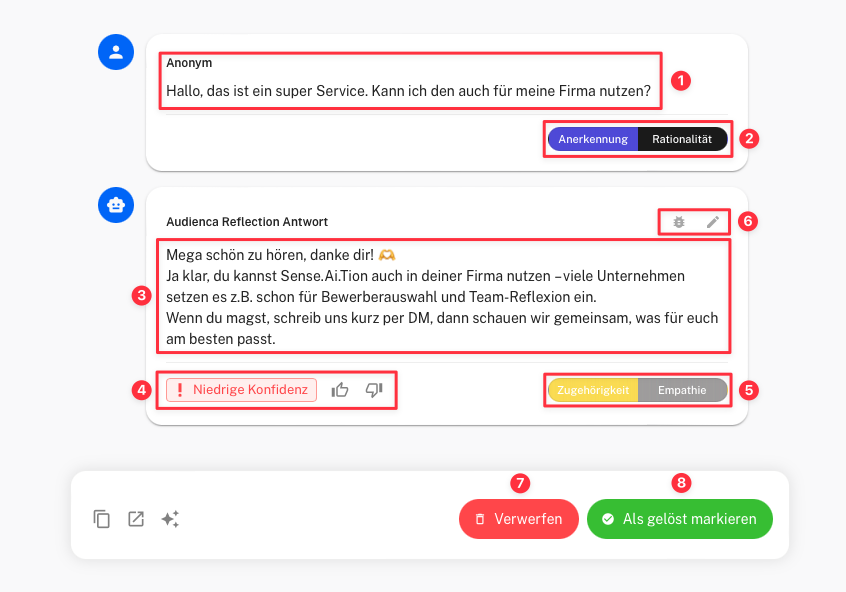
Request Content
- Displays the content of the service request along with the user’s name.
-
Motivation Analysis of the Service Request
- Shows the motivation assessment for the request.
-
Support Response
- Contains the system-generated response, based on the request and available information from the knowledge base.
-
System Evaluation
- Displays the system’s own quality rating of the generated response. You can also rate the response manually.
-
Motivation Analysis of the System Response
- Shows the motivation assessment for the generated response.
-
Debug and Edit Button
- Allows you to debug the request and edit the generated response to improve quality or correct errors.
-
Discard
- Allows you to discard the request if it is irrelevant or unusable.
-
Mark as Resolved
- Marks the request as resolved when the generated response is satisfactory and no further action is needed.
Use Audienca Reflection
You can order the product Audienca Reflection (or request a test account) at Audienca Reflection